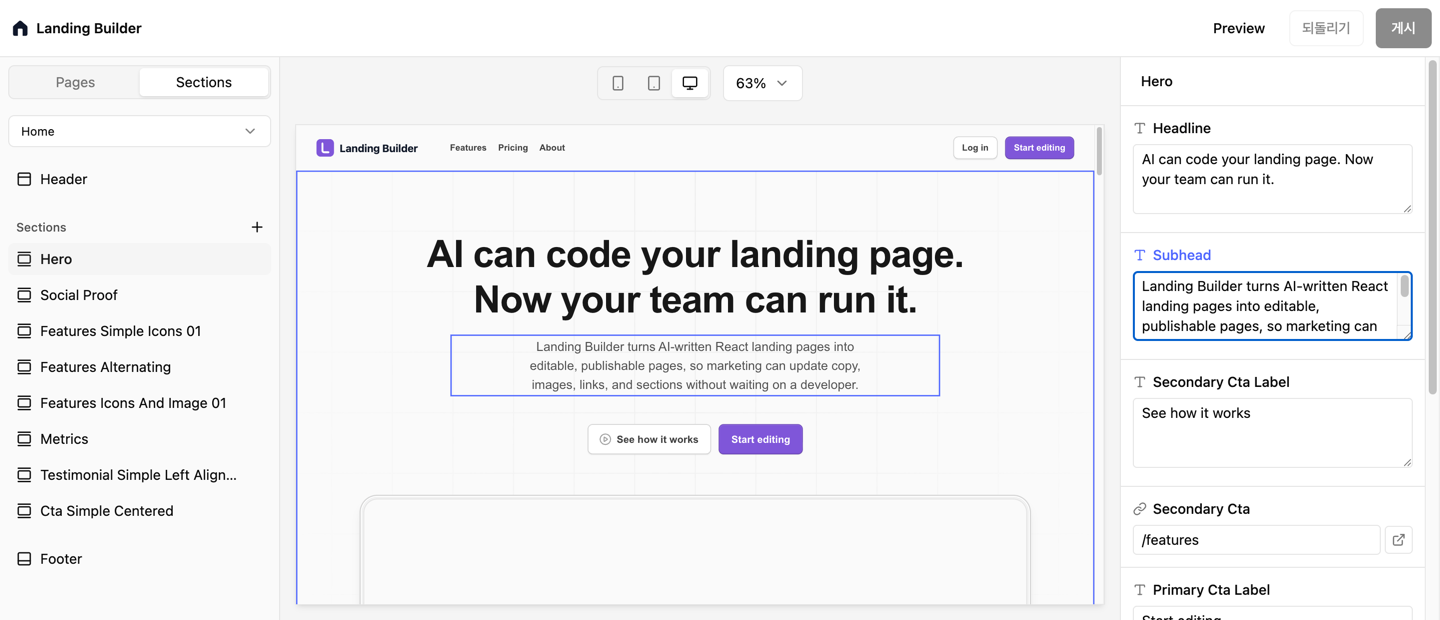
Landing Builder turns AI-written React landing pages into editable, publishable pages, so marketing can update copy, images, links, and sections without waiting on a developer.
Built for SaaS teams moving faster with AI










Use AI and developers to create polished React sections instead of rebuilding your landing page in a no-code canvas.

Give non-developers forms for copy, images, links, and section order, with the live page right beside them.

Your landing page stays in your repo, with your components, styling, and deployment path intact.
Keep the code where engineering wants it, then give marketing the controls they need for day-to-day changes.

Use AI coding tools or your own developers to create the landing page as production React components.
 AI-generated sectionsDeveloper-owned componentsYour repo and styling stay intact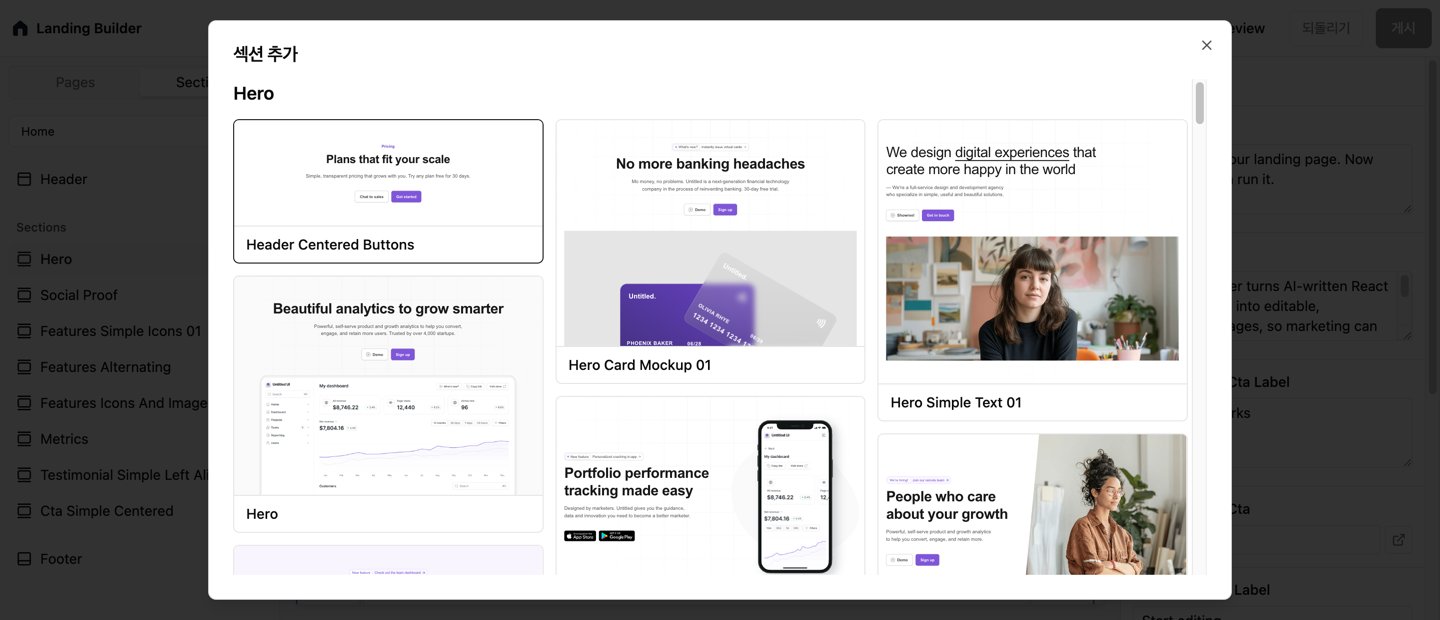

Landing Builder reads each section's editable content and gives marketing a focused form for copy, images, and links.
No layout controls to breakLive canvas beside the formField highlights on the page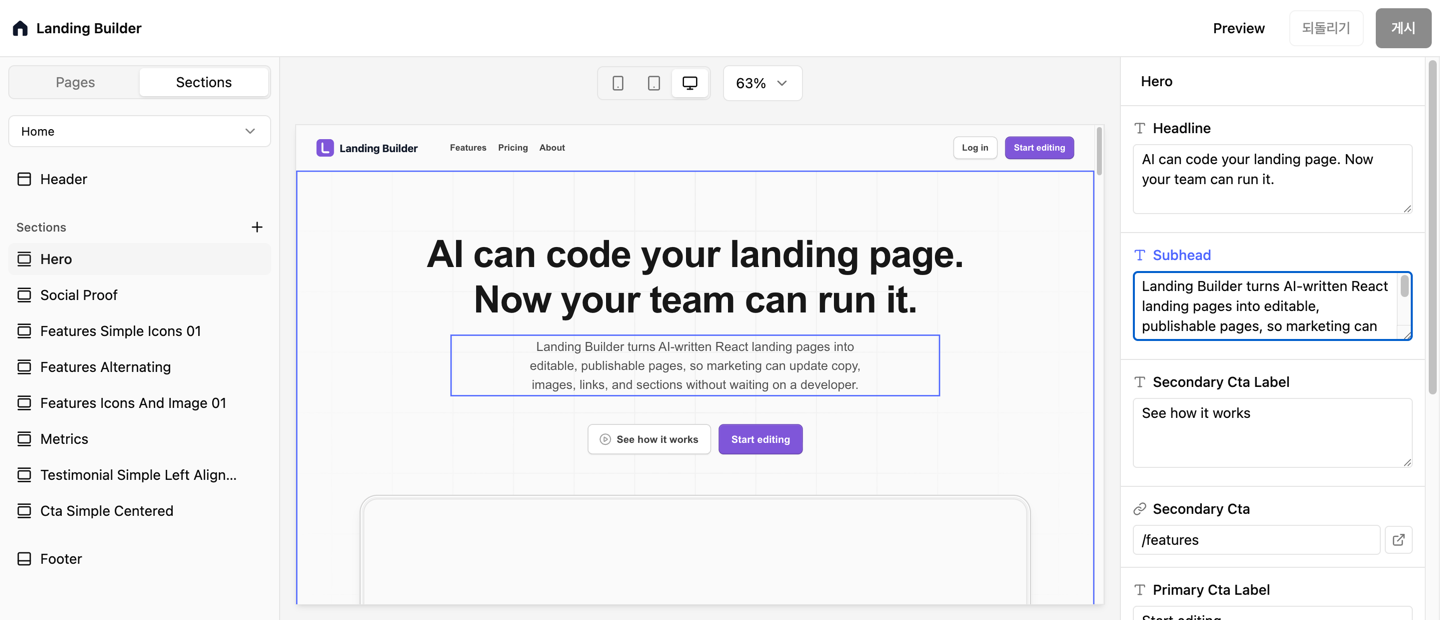

Marketing can ship routine updates through a controlled workflow without turning every change into a developer ticket.
Preview before publishingOne-click publishDiscard unsafe drafts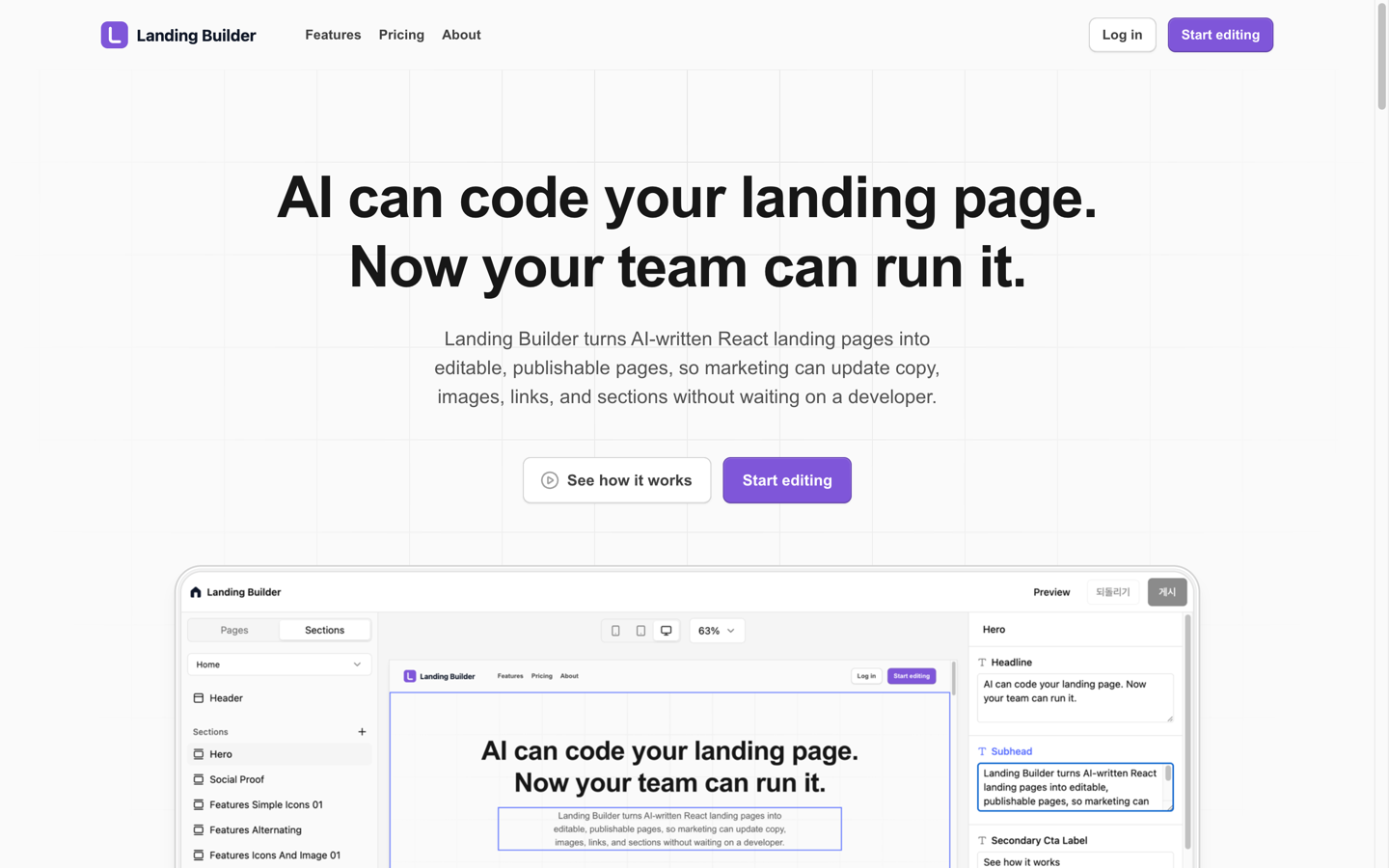
Ask for the missing section, keep it as React, then let marketing edit its content like the rest of the page.
A comparison table, launch banner, ROI block, or video hero can start as a plain-language request.
The section lands in your codebase, styled like your site and ready for engineering review.

Defaults become a content form, so marketing can fill in the section without touching code.
No marketplace dependency and no locked canvas. The section is yours to change, test, and ship.
The first draft gets faster, and the next hundred marketing edits stop waiting in the engineering queue.
AI helped us create the page. Landing Builder made it something our growth team could keep changing without asking engineering for every headline test.
— Mathilde Lewis
Head of Growth, LayersKeep the code. Add the editing layer. Ship changes without waiting on the next deploy.